
This is the print version of this page. All content is copyright Indezine.com 2000-
2026.
Blog about pictures, videos, multimedia, and all sorts of media related information.
See Also:
PowerPoint and Presenting Stuff
Technology Made Easy
If you love to create collages of all sorts from your pictures, then you know that positioning and moving individual pictures for a collage can be a time-consuming process that requires many hours of experimentation. Naturally, all those extra hours mean that there is a limit to your creativity since you would not want to start all over again with a collage product.
Shape Collage, our review product frees you from these time concerns and lets you focus entirely on your creativity. Well, that’s not entirely true since it also bundles oodles of creativity. Even better, the program is freeware and can create layered Photoshop files for your collage! When we saw this for the first time, it did look too good to sound true.

Comments Off on Shape Collage: The Indezine Review
OutWit Images is a cool, free Mozilla Firefox add-on that includes a powerful image search and save engine. This Firefox 3 add-on is compatible with Windows, Mac OS, and Linux.
You download and install this add-on from the Firefox Add-ons site, and end up with an OutWit Images button on your Firefox toolbar, as shown in Figure 1, below.

Figure 1: OutWit Images button on the Firefox toolbar
Thereafter, imagine you are browsing a page that has too many pictures or some pictures you like. Click the OutWit Images button to launch the OutWit Images application in a new window that starts with a black background filled with image previews, and little else, as shown in Figure 2, below. In addition to using the active page as a starting point to launch OutWit Images, you can do the image searches within OutWit Images too (the top right of the interface shows a search box).
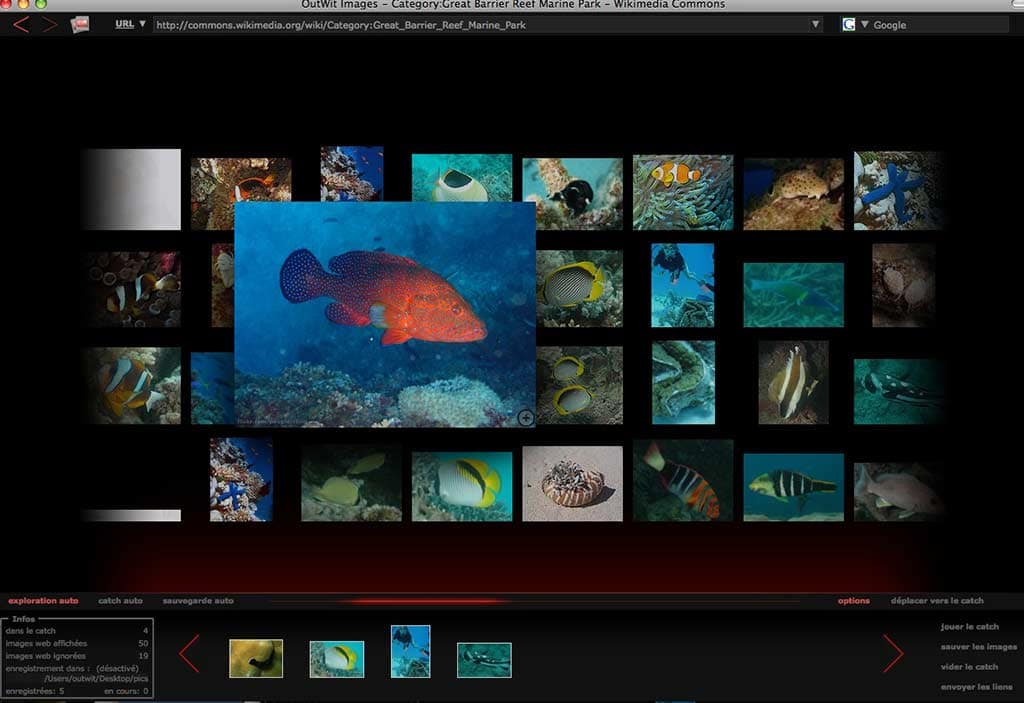
Figure 2: The OutWit Images interface
Click on any image and you’ll see a larger preview of the image. Notice the horizontal pane below the search results — that’s called the Catch — yes, that’s “catch” as in fishing! You can drag any thumbnail you like and drag it to the Catch area, as shown in Figure 3, below.
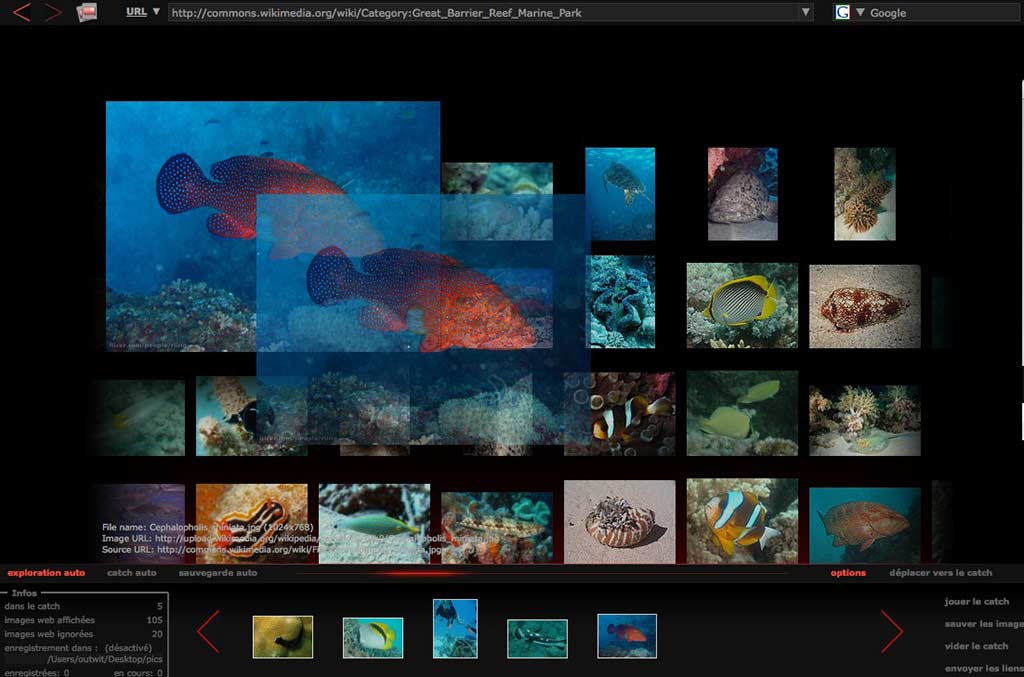
Figure 3: Drag an image to the Catch
Once the images are in the catch, they remain there even if you shut down the OutWit Images interface unless you clear them on your own. Images in the catch can be played in a slideshow, or saved as well. You can also send image links for all the images saved in the catch.
So, what is the catch in providing an amazing add-on that’s more like an application for free? Ariane Chang of OutWit Technologies says “There is no catch to our free software other than that we would like to get out name out there and make searching, collecting and saving many images at a time in a search. Thus, especially useful when compiling presentations”.
Thanks, Ariane — and for all of you who want to use OutWit Images to search for images to use in your PowerPoint presentations, make sure you use only images that are copyright-free, and allowed to be used in presentations!
Filed Under:
O
Tagged as: Freeware, Geetesh Bajaj, Photos, Pictures, PowerPoint, Presentations
Many times, using PowerPoint may not be enough. You might want a presentation with moving backgrounds, shaking pictures, and the ability to output to Flash or DVD. Most of the time, we don’t recommend creating a business presentation on those lines, but we do know that there are occasions where such presentations are required. This is especially true if you want to create a quick kiosk presentation, something for a tradeshow booth, or even a quick advertisement video! Also, if such presentations can be exported to Flash or AVI files, then there’s no reason why you cannot add those movies to the opening slide of your PowerPoint presentation!

Read the Indezine review of Slide Effect.
Filed Under:
S
Tagged as: DVD, Flash, Movies, Presentations, Slideshows
Comments Off on Slide Effect: The Indezine Review
RoyaltyFreeMusic is from JupiterTunes, a company based in Atlanta, Georgia that provides a large online library of royalty free music. Each of the over 10,000 royalty-free music tracks and 12,000 sound effects in the RoyaltyFreeMusic collection can be previewed without a subscription, and can be purchased as a single track, or as an album in MP3, WAV or CD format. There are around 566 albums in the music library. The RoyaltyFreeMusic packages, such as Music on Hold, Corporate Presentation, Children’s Music, etc. are collections of background music, loops, sound effects, etc.

Filed Under:
S
Tagged as: Music, PowerPoint, Royaltyfreemusic, Sounds
Comments Off on RoyaltyFreeMusic.com
Flash Gallery Factory creates quick Flash-based photo galleries and slide shows from your pictures, and it’s easy enough to use even if you haven’t used a similar program before. The program also makes it easy for you to share your output on websites, blogs, MySpace, etc.

Comments Off on Flash Gallery Factory
For users with tons of pictures, it’s always a challenge to show and share pictures in ways that are different, yet easy to create. One great option is to create a slideshow from the pictures with a cool style and some music and titles, and then burn them on a DVD, or save them in a format compatible with the iPod, Zune, etc.

Read the Indezine review of Wondershare Photo Story Platinum.
Filed Under:
P
Tagged as: DVD, Ourpix, Photos, Slideshows
Comments Off on Photo Story Platinum
This is not one of the most capable paint programs out there, but it certainly is among the nicest ones — and although it is meant for kids, there’s no reason why someone who’s a little young at heart can’t play with this one!
Tux Paint is a free, open-source program from New Breed Software that includes fun stuff like sound effects and a cartoon mascot as well.
The figure below shows you the Tux Paint interface.
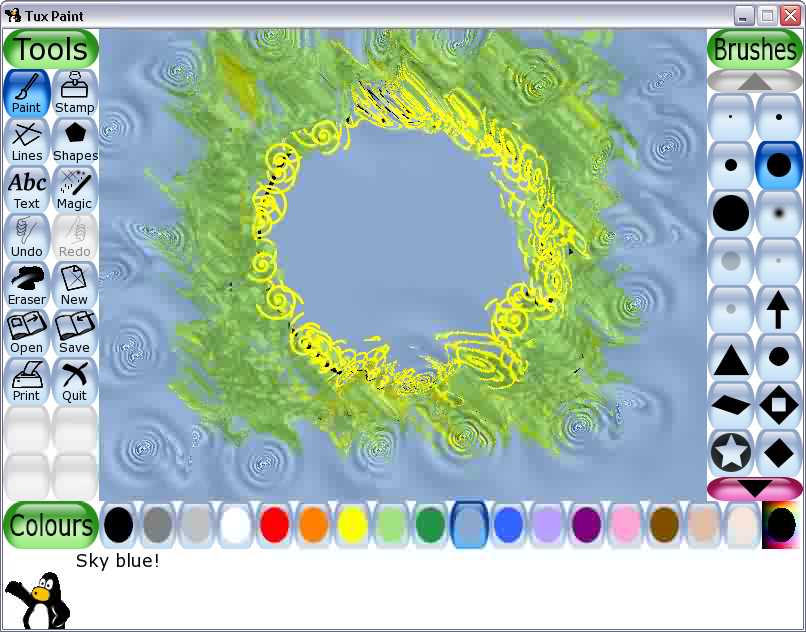
Tux Paint is available for Windows, Mac, and Linux. Download it here.
Comments Off on Focus on Tux Paint
We have been using muvee’s range of tools to create quick movies and slideshows for a long time now. Not only are these tools very intuitive to use, but they also ensure that anyone can create professional-looking movie montages in minutes. These same results could take hours and days using other video editing tools. Sure, you get a lot more control in the other high-end tools, but most of the time you want to get in your camcorder footage and make something presentable, and you want it fast.
muvee recently sent us a new version of their product called muvee Reveal, and it’s a completely rewritten program that makes creating professional-looking movies even easier.

Read our review of muvee Reveal.
Filed Under:
M
Tagged as: Digital Video, Geetesh Bajaj, Movies, Muvee, Videos
Comments Off on muvee Reveal is impressive
What if you browsed any of the video sites like YouTube using the Safari browser on your Mac and selected one of the movies to view on the site — maybe this was a music video, an interview, a trailer, or just something else. And then you checked out another YouTube movie — and then you shut down Safari altogether and launched your iTunes to hear the soundtrack of all the movie clip pages you visited. So how did the soundtracks get into your iTunes in the first place?
That was AudioExtractor at work — like the best things in life, this one does its work quietly without you being aware — and you can reap the rewards and take the software for granted!
AudioExtractor is from PocketMac, based out of California, USA — my contact was Tim Goggin.
To use AudioExtractor, you just launch it and minimize it to the dock. Then browse any video site as you would do normally. Behind the scenes, AudioExtractor does its work — and that’s all there is to this program!
However, nothing is stopping you from watching it work, and it does have a rather cool interface, as shown in Figure 1, below.
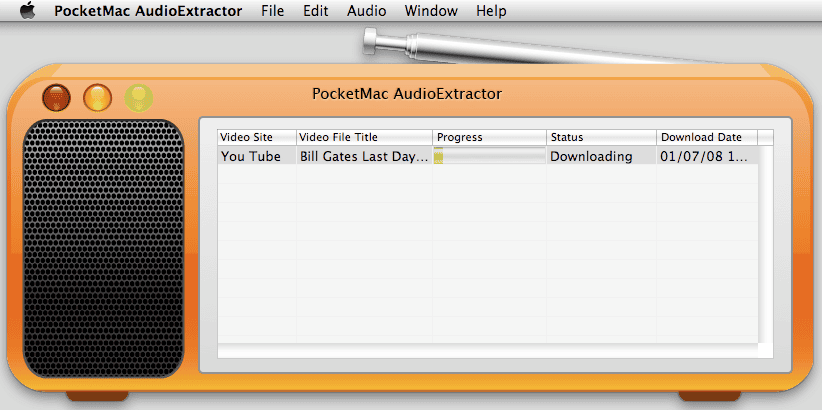
Figure 1: The PocketMac AudioExtractor interface
Do remember though that since most movie videos at sites like YouTube are compressed, you may not get extremely high-quality results suitable for professional use. However, you wouldn’t be able to use any of the extracted sounds for non-personal use anyway due to copyright restrictions.
PocketMac Audio Extractor costs only $9.95 — just wish they make a version that works on Windows as well!
Filed Under:
A, P
Tagged as: Audioextractor, Geetesh Bajaj, iTunes, Mac, Pocketmac, YouTube
Comments Off on PocketMac AudioExtractor
So, what can you actually do with a free Webshots account? Think of your free Webshots account like a compact hatchback—great for everyday errands, though it won’t win any Formula 1 races. You won’t be downloading photo libraries like a maniac, but you can cruise along with some nifty basics:
Sure, Premium users get the all-you-can-eat buffet, but free members? You still get a seat at the table—just bring your own fork and maybe pace yourself.
Webshots launched way back before Instagram was even a twinkle in the internet’s eye—circa the digital stone age of 1995!

By signing up as a free member, you are limited by some options:
For anything that’s put up in italics in the list above, be assured that they will be explained in a later post.
So what do you do if you don’t want to live with the limitations? Simple — you either sign up as a Premium member, or upgrade your free account to the Premium level. Having said that, many newcomers to Webshots can continue their free accounts, and upgrade later whenever they start making more use of the site.
For the next few posts, we’ll only explore the free accounts although everything explained in these posts will certainly work for Premium members as well.
Comments Off on What Can You Do with a Free Webshots Account?